

Seeing a message vanish on WhatsApp can instantly spark curiosity and concern. One moment you receive a notification, and the next, the chat simply says “This message was deleted.” You start wondering what it said and why it disappeared. That is why so many people search for how to see deleted messages on WhatsApp every day.
Whether the message was deleted by mistake or intentionally removed, missing information can feel frustrating. Luckily, there are practical ways to recover or view deleted texts if you act at the right time. In this guide, you will discover five proven methods that actually work, explained clearly and honestly, without myths or risky shortcuts.
How WhatsApp Message Deletion Works (Delete for Everyone Explained)
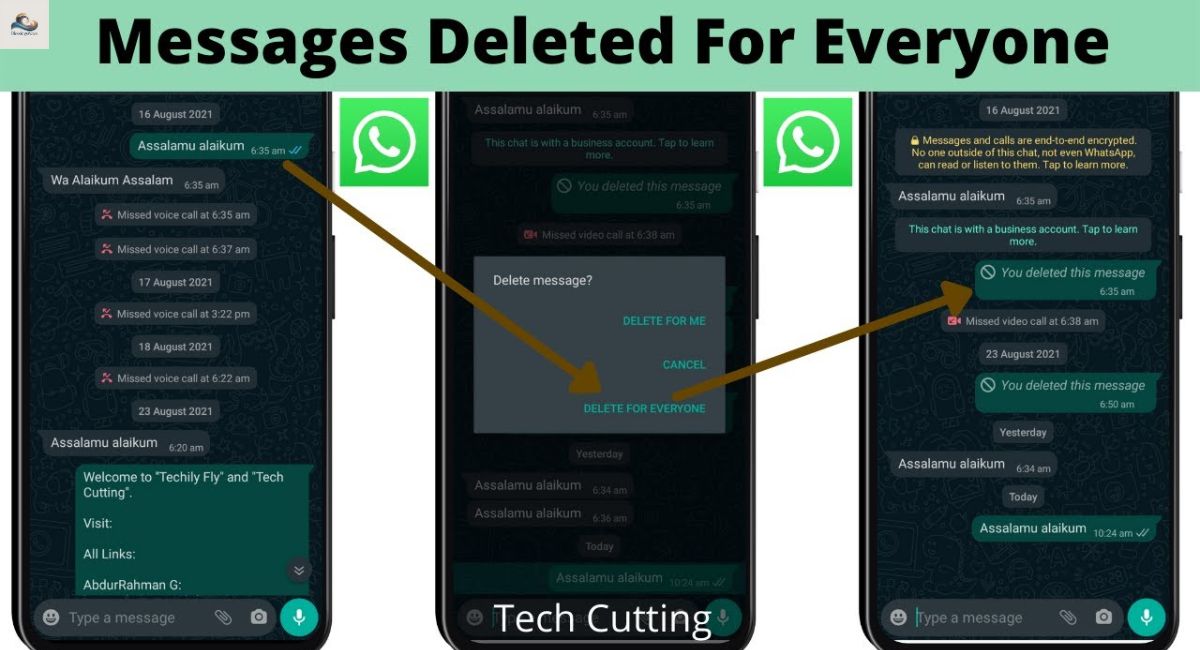
To understand recovery, you first need to understand how WhatsApp deletes messages. When someone selects the WhatsApp message deleted for everyone option, WhatsApp sends a deletion request to all devices involved in that chat. The original message is replaced by a system notice on both phones. Many people assume the message disappears instantly and permanently. In reality, deletion is more complex than it appears on the surface.
WhatsApp does not store message content long-term on its servers after delivery. Messages live primarily on user devices. However, temporary copies may still exist in notification previews, local device memory, backups, or quoted replies. This is why some users manage to read deleted WhatsApp messages even after they vanish from the chat. Encryption protects messages during transmission, but it does not guarantee instant erasure from every possible location. Understanding this technical gap explains why recovery attempts sometimes succeed.
Can You Really See Deleted Messages on WhatsApp? (Truth & Limitations)
So the big question remains: is it possible to see deleted WhatsApp messages? The honest answer is yes, but only under specific conditions. WhatsApp does not provide an official recovery button. Every successful attempt depends on whether the message was captured somewhere else before deletion occurred. Timing plays a crucial role.
Android users often have more options thanks to WhatsApp notification history and flexible backup systems. iPhone users rely heavily on iCloud or iTunes backups. Without notifications or backups, WhatsApp message recovery without backup becomes extremely unlikely. This limitation frustrates many users, but it also highlights the importance of preparation. Knowing what is possible helps you avoid wasting time on methods that simply cannot work.
Method 1 – See Deleted WhatsApp Messages Using Notification History (Android)
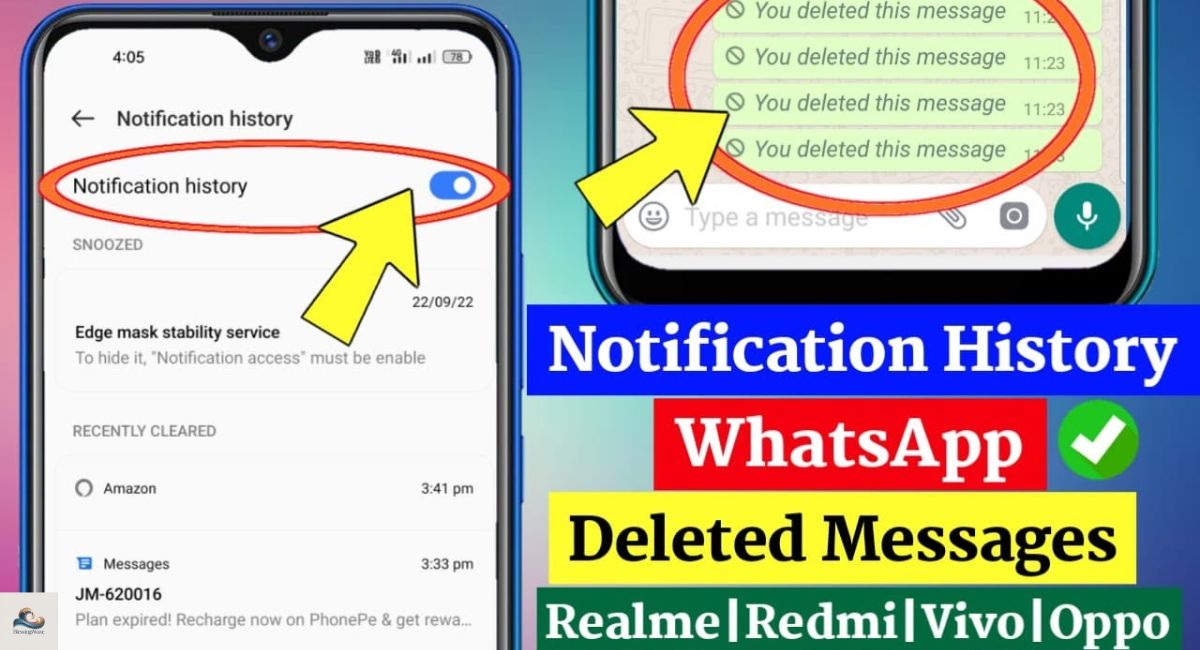
Android devices offer one of the simplest ways to see deleted messages on WhatsApp. When notifications are enabled with previews, Android stores incoming message content in its notification log. Even if the sender deletes the message later, the original text may still remain visible in the notification history for a limited time.
This method is popular among users seeking WhatsApp chat recovery Android solutions because it requires no reinstall, no backups, and no third-party tools. You simply access your notification history and read what was already captured. However, this method has limitations. Most Android systems retain notification logs for only twenty-four hours. Once that window closes, the message is gone permanently.
When Notification History Works Best for Deleted WhatsApp Messages
Notification history works best when message previews are enabled and the chat is not muted. Archived or silenced chats often leave no trace. That is why many users search how to check deleted messages on WhatsApp Android only after realizing this feature was disabled. Preparation makes all the difference.
Method 2 – Restore Deleted WhatsApp Messages from Chat Backup
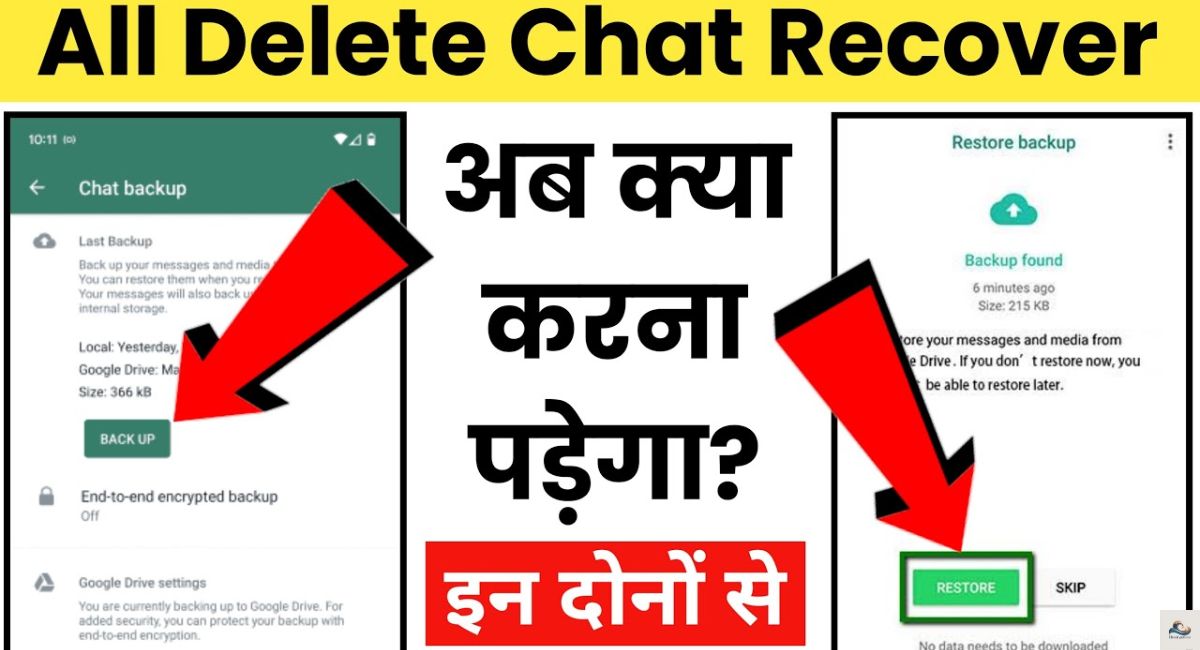
One of the most reliable ways to recover deleted WhatsApp messages is through chat backups. WhatsApp automatically creates backups on a daily, weekly, or monthly basis depending on your settings. If a message existed at the time of the last backup, restoring that backup can bring the message back.
However, restoring a backup is not risk-free. When you restore WhatsApp chats, all current messages are replaced with older data. Any messages received after the backup date are permanently lost. Many users make the mistake of restoring without checking the backup timestamp, which leads to frustration and regret during WhatsApp deleted messages recovery.
Key Things to Check Before Restoring WhatsApp Backup
Before restoring, always verify the backup date and time. Users searching how to restore WhatsApp messages from backup often overlook this step. Backup timing determines success or failure more than anything else.
Method 3 – Recover Deleted Messages via Google Drive Backup (Android)
Android users benefit greatly from WhatsApp chat backup Google Drive integration. When enabled, WhatsApp saves encrypted backups to your Google account. These backups are linked to your phone number and Google ID. During reinstallation, WhatsApp automatically detects the backup and offers to restore it.
Google Drive does not allow you to preview messages directly. To retrieve WhatsApp deleted texts, you must restore the backup onto your phone. This limitation surprises users searching how to retrieve deleted WhatsApp chats without reinstalling WhatsApp. Still, Google Drive remains one of the safest and most effective recovery methods for Android users.
How Google Drive Backups Help You See Deleted WhatsApp Messages
Google Drive backups function like snapshots. If the deleted message existed at snapshot time, recovery works. If not, the message is permanently gone. This explains why can deleted WhatsApp messages be recovered depends entirely on backup frequency.
Method 4 – Restore Deleted WhatsApp Messages Using iCloud Backup (iPhone)

For iPhone users, WhatsApp iCloud backup restore is the primary recovery method. iCloud stores chat data securely, but only if backups were enabled and sufficient storage space was available at the time of backup. Many users assume iCloud backs up automatically, which is not always true.
This method is essential for WhatsApp deleted messages iPhone recovery. However, restoring an iCloud backup requires deleting the current WhatsApp installation first. This means you risk losing recent messages. Despite the inconvenience, Apple offers no alternative for selective recovery, making iCloud the only official option.
Common iCloud Backup Mistakes That Block Message Recovery
Low iCloud storage and disabled backups are the most common reasons recovery fails. Users searching how to view deleted WhatsApp messages on iPhone often discover backups were never created.
Method 5 – See Deleted WhatsApp Messages via iTunes Backup (iPhone)
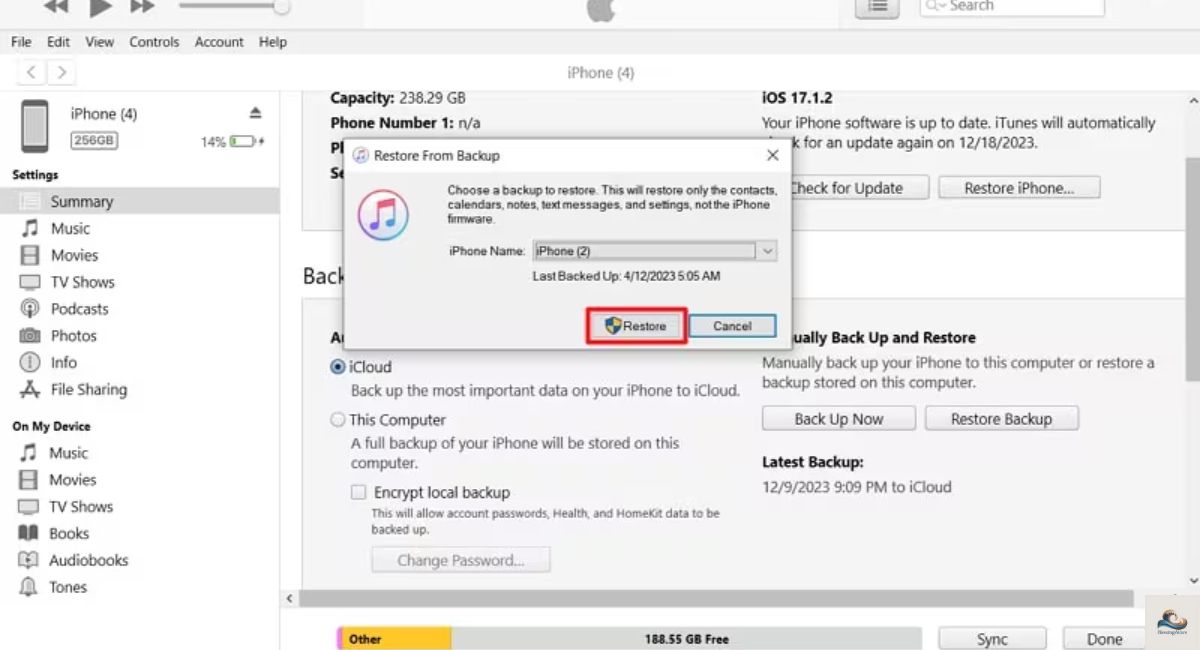
Another option for iPhone users is restoring from an iTunes backup. iTunes stores complete device backups on a computer. If a backup was created before message deletion, restoring it may recover deleted WhatsApp chats.
However, iTunes restores the entire phone, not just WhatsApp. This makes the process time-consuming and inconvenient. Still, it remains valuable for advanced users exploring methods to recover WhatsApp deleted messages without relying on cloud storage.
iTunes Backup vs iCloud Backup for Deleted WhatsApp Messages
iTunes offers local control and independence from cloud storage. iCloud offers convenience and automation. Neither allows selective chat recovery.
How to Read Deleted WhatsApp Messages on WhatsApp Web (Inspect Element Myth)
Many blogs claim you can inspect WhatsApp Web code to find deleted messages. In reality, WhatsApp Web deleted messages almost never exist in browser files. WhatsApp Web mirrors phone data in real time and follows the same encryption rules.
Once a message is deleted on the phone, it disappears instantly from WhatsApp Web. This makes how to see deleted WhatsApp messages without app using Inspect Element mostly a myth. Temporary browser cache data rarely contains readable message content.
Why Deleted WhatsApp Messages Rarely Appear in Web Code
End-to-end encryption prevents WhatsApp Web from storing message content locally. Any cached fragments disappear quickly.
Read Deleted WhatsApp Messages via Reply or Quote Trick
In some cases, you can still read deleted WhatsApp messages through replies. When someone replies to a message before it is deleted, the quoted text remains visible even after deletion. This trick works best in group chats.
Although this method does not restore the original message, it helps view removed WhatsApp messages and understand context. Many users overlook this simple but effective workaround.
Why Replies Can Reveal Deleted WhatsApp Messages
Replies act like text snapshots. They capture the message content at the moment of response and preserve it indirectly.
Using Third-Party Apps to See Deleted WhatsApp Messages – Are They Safe?
Many apps advertise themselves as WhatsApp message recovery app solutions. Most rely on notification access rather than actual recovery. While some apps work temporarily, they pose serious privacy risks.
Granting such apps access to notifications, storage, and contacts exposes personal data. This makes third-party tools risky for anyone concerned about WhatsApp message history and security.
Warning Signs of Unsafe WhatsApp Recovery Apps
Excessive ads, forced subscriptions, and unnecessary permissions are strong warning signs. Avoid them whenever possible.
How to Backup WhatsApp Messages Before Deleting (Never Lose Chats Again)
The best way to avoid recovery stress is prevention. Regular backups ensure WhatsApp backup restore works whenever needed. Daily backups offer the highest level of protection.
Users serious about how to find deleted WhatsApp texts should enable automatic backups immediately. This habit ensures important messages are never truly lost.
Best Backup Settings to Protect WhatsApp Messages Long-Term
Enable Wi-Fi backups, monitor storage, and test restores occasionally. Consistency matters more than frequency.
Deleted WhatsApp Messages (Quick Answers for Featured Snippets)
People often ask how to read WhatsApp messages after deletion or whether recovery is guaranteed. The answer depends entirely on backups and notifications.
If no backup exists, recovery fails. If backups exist, recovery succeeds. This explains most ways to read deleted WhatsApp messages clearly and honestly.
Final Thoughts
Deleted messages create confusion, curiosity, and frustration. WhatsApp prioritizes privacy, but smart preparation gives you control. Enable notifications. Maintain backups. Stay realistic. That is the safest and most reliable way to see deleted messages on WhatsApp in 2026.
FAQs
How can I view deleted messages in WhatsApp?
You can view deleted messages using notification history, chat backups, Google Drive or iCloud backups, iTunes backup, or reply/quote tricks.
How can I read a WhatsApp message that was deleted by the sender?
You can read it if it was saved in notifications, a backup, or quoted in a reply before deletion.
How do I read deleted messages?
Use WhatsApp backups, notification logs, or third-party recovery apps (with caution) to access deleted content.
Can I recover permanently deleted WhatsApp messages?
No, messages deleted without any backup or notification cannot be recovered.
Can I restore deleted chat history on WhatsApp?
Yes, by restoring from Google Drive, iCloud, or local backups, you can bring back deleted chats.